The social network for GitHub and Obsidian.
Your repos become a living city. Your vault becomes a living profile. Meet people by what they build and what they write.
GitHub takes about 30 seconds and needs no install. Obsidian runs on your device, and nothing leaves your vault unless you choose it. See a live profile · Browse people · See any GitHub as a city
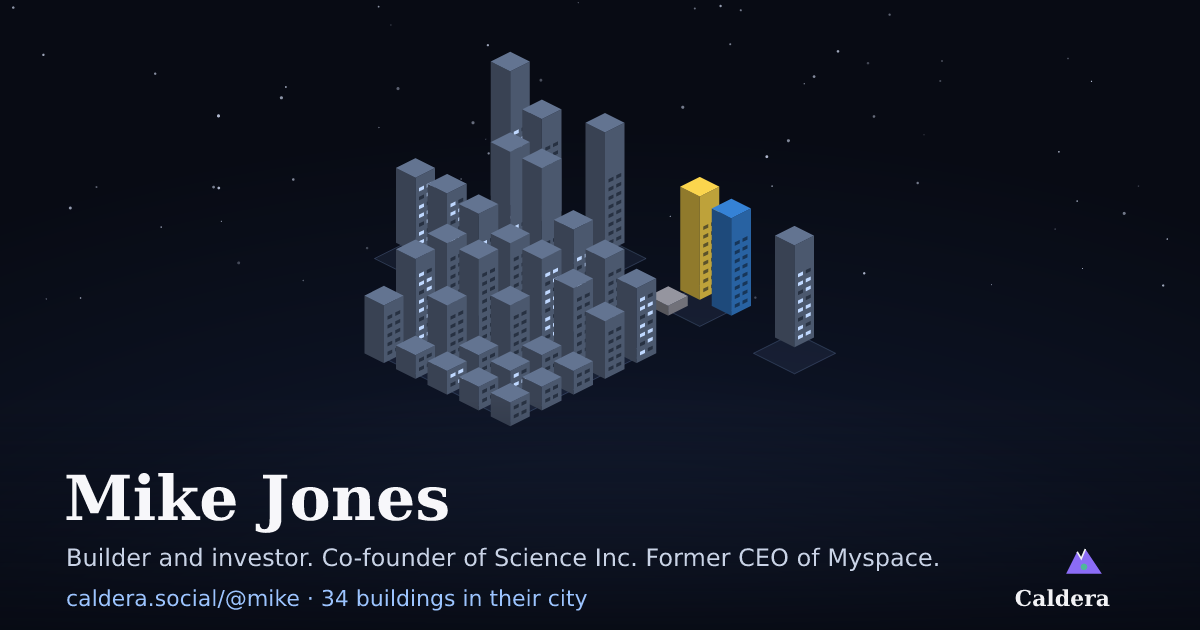 A real city, live. Districts are projects, buildings are repos. Walk in →
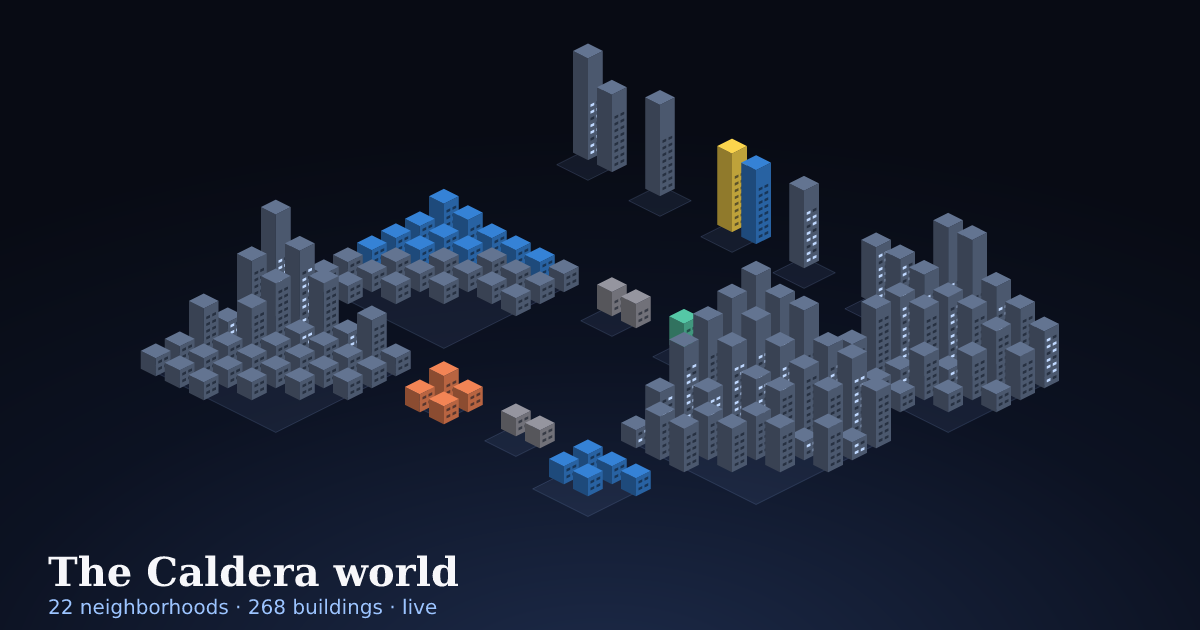 The worldEvery member's city, one map.Neighborhoods are people, highways are friendships. Fly to anyone, walk into their city, open their repos.Explore the world →
New this week
Everyone →How it works
Two doors, one network.
Come in with GitHub
- Your repos become a city. Districts are projects, buildings are repos, and lit windows are this week's commits.
- Watch your sites live. Add one line to a site and its visitors parachute into your city as they arrive.
- See your AI agents work. Coding agents show up as drones over the repo they are working in.
- Meet people. Add friends, join a group, and get a daily summary by email.
No install. Your page rebuilds from GitHub every 6 hours.
Sign up with GitHubCome in with Obsidian
- A living profile. Built on your device from your vault and refreshed every day: a journal, an activity score, streaks and topics.
- Your story. A timeline, projects with live links and your AI usage, written by your AI from your vault.
- Private sharing. Send any note to a friend, end-to-end encrypted. It lands in their vault as a normal note.
- Help each other. Post asks and offers, and give gravity to the people who show up for you.
Free on Mac, Windows, Linux, iPhone and Android.
Install for ObsidianIt is one network. A GitHub sign-up can move into an Obsidian vault any time and keep its page. Add your GitHub link in Obsidian and you get a city too.
A city that is alive
The sky follows the time of day. New visitors to your sites drop in by parachute, signups light up the city, and padlocked buildings keep private repos private. Pop it out into a small window and watch it all day. Walk a city.
People, friends and groups
Find people by what they build and write in People. Add friends, see who is new this week, and start a group at caldera.social/g/name to see everyone's cities side by side.
A living profile
A page that updates itself: a daily journal you can flip through, an activity score, streaks, topics, and the notes you choose to share. Bring data from your calendar, email, git and AI tools.
Your AI work, visible
Tokens by model and provider, read from your Claude Code and Codex logs, and your coding agents flying over the repos they are working in. The clearest sign of how you build with AI.
Asks, offers and gravity
Post what you could use help with and what you can help with. Put a bounty of help credits on an ask. No likes, no downvotes: give gravity to people who helped you. It fades over a month, so recent help counts most.
Open protocol
Everything is signed. With Obsidian, your identity is a key that lives in your vault, not a password. The code is open: self-host your page or run your own hub.
Make your page great
The pages people share do more than list a job title. Each of these takes one prompt pasted into your AI agent, and none of it shows anything private.
Private by default
- Public repos only. A GitHub sign-up shows your public repos. Private repos appear only if you install the Caldera GitHub app on the ones you pick, and you choose how they show: padlocked buildings with no names, one anonymous padlocked district, or not at all.
- We never read your code. Caldera reads repo names, languages and commit counts, never the files inside.
- Leave any time. Delete your page from your account and Caldera's access to your GitHub is revoked.
- Your vault never uploads. With Obsidian, Caldera builds your profile on your device and sends only the finished page.
- You choose every section. Each part of the profile has its own switch. A note is public only if you add
caldera: publicto it. - Your journal is filtered. Every journal line passes a privacy filter before it is published: names you have not made public, meetings, places and anything that looks private are taken out.
- Shared notes are end-to-end encrypted. The hub only stores ciphertext it cannot read.
- No telemetry. The plugin talks only to the hub you choose, only when you act.
Get started
Pick your door.
With GitHub: one click
- Sign in with GitHub.
- Caldera builds your page and your city from your public repos.
- Edit your name, headline, links and photo on your account page, and add private repos if you want them.
Brand-new, empty GitHub accounts wait a few days before they can sign up. That keeps bots out.
With Obsidian: one paste, your AI does the rest
Caldera is in Obsidian's community plugins: open it in Obsidian or see the listing. Or paste one prompt into Claude Code, Codex, Cursor or any AI agent that can edit files on your computer. New to Obsidian? That's fine: the prompt installs Obsidian (free) and sets up your first vault, too.
- 1Copy the promptOne click, below.
- 2Paste it into your agentIt installs Obsidian if you need it, then Caldera, connects your calendar, email, AI and code activity, and schedules one routine that keeps your page fresh.
- 3Open Obsidian, pick a handleYour profile publishes and opens in your browser. Your key never passes through the AI.
- Installs Obsidian if needed
- Installs the plugin
- Writes a daily journal entry
- Connects every activity source
- Builds your GitHub city
- Safe to paste again
- Privacy rules override everything
- Never touches your key
You are helping me run Caldera, the social layer for my Obsidian vault (https://caldera.social). Caldera builds a public profile page from my vault; the more of my real activity it can count, the richer that page is. Follow these instructions exactly. (Caldera setup prompt v6)

Vault: <ABSOLUTE PATH TO MY OBSIDIAN VAULT>
(If I did not fill this in, find my vault yourself: it is the folder that contains a .obsidian folder. If there is more than one, ask me which. If there is none, I probably don't have Obsidian yet - many people don't - so start with step 0.)
My public page: https://caldera.social/@<my handle>/

THIS PROMPT IS SAFE TO PASTE AGAIN. Every time I paste it (for example after a Caldera update), first take stock of what is already set up - scheduled jobs, "Caldera/activity.json", "Caldera/city.json", "Caldera/profile.md", journal fields in my daily notes - then repair anything broken, upgrade it to these instructions, and only add what is missing. Never create a second scheduled job that does the same thing; update the existing one in place.

## 0. Obsidian itself (if I'm new - many people are - this step sets everything up; skip it only if I already use Obsidian)
1. Check whether Obsidian is installed (macOS: /Applications/Obsidian.app or ~/Applications/Obsidian.app; Windows: %LOCALAPPDATA%\Programs\Obsidian\Obsidian.exe; Linux: the obsidian command, Flatpak md.obsidian.Obsidian, or an Obsidian AppImage).
2. If it is not installed, tell me you are about to install Obsidian (the free official app from https://obsidian.md), then install it:
   - macOS: brew install --cask obsidian  (no Homebrew? download https://obsidian.md/download , open the .dmg and copy Obsidian.app into /Applications)
   - Windows: winget install --id Obsidian.Obsidian -e  (or run the installer from https://obsidian.md/download)
   - Linux: flatpak install -y flathub md.obsidian.Obsidian  (or the AppImage / .deb from https://obsidian.md/download)
   If you cannot install software here, give me the download link and wait until I tell you it's installed. Do not open Obsidian yet.
3. If I don't have a vault yet, make one for me, completely, BEFORE Obsidian opens it:
   a. Ask where I'd like my notes; if I don't care, use ~/Documents/Notes (Windows: %USERPROFILE%\Documents\Notes). Create the folder, a "Welcome.md" note in it ("# Welcome" and one line saying this is my vault), and an empty ".obsidian" folder inside it. That folder is now my vault; use its absolute path below.
   b. Install the plugin into it now (exactly as in step 1 below), so it is ready on first launch.
   c. Make Obsidian quit if it is running (it rewrites its vault list on exit). Then register the vault in Obsidian's vault list, a JSON file at:
      macOS ~/Library/Application Support/obsidian/obsidian.json - Windows %APPDATA%\obsidian\obsidian.json - Linux ~/.config/obsidian/obsidian.json (Flatpak: ~/.var/app/md.obsidian.Obsidian/config/obsidian/obsidian.json).
      Create the folder and file if missing. The file looks like {"vaults":{"<id>":{"path":"<absolute vault path>","ts":<now in ms>,"open":true}}}. Add my vault under a new random 16-character lowercase hex id, keep every other key and vault already in the file, and write valid JSON.
   d. Open it: macOS  open "obsidian://open?path=<url-encoded absolute vault path>"  - Windows  start "" "obsidian://open?path=..."  - Linux  xdg-open "obsidian://open?path=..." . If Obsidian instead shows its vault picker, tell me to click "Open folder as vault" and choose that folder.
   e. Tell me, in plain words: in Obsidian, open Settings (the gear, bottom left) -> Community plugins -> click "Turn on community plugins". (If Obsidian shows a "Trust author and enable plugins" prompt instead, click that.) Caldera is already switched on, so its Welcome window appears right away. Caldera opens a Welcome window where I type my name and pick a handle; it creates my identity on this device, publishes my profile and opens it in my browser. Do NOT create the identity, read the plugin's data.json, or handle my keys yourself - that file holds my private key. Wait until I tell you my profile is live, then continue with step 2.
   Steps a-e replace step 1 - after e, go straight to step 2.

## 1. Install the plugin (when I already have a vault)
1. Download https://caldera.social/download/caldera-latest.zip and unzip it into "<ABSOLUTE PATH TO MY OBSIDIAN VAULT>/.obsidian/plugins/caldera/" so that folder contains main.js, manifest.json and styles.css (create the folders if needed).
2. Add "caldera" to the JSON array in "<ABSOLUTE PATH TO MY OBSIDIAN VAULT>/.obsidian/community-plugins.json" (create the file as ["caldera"] if it does not exist). Do not remove other entries.
3. Tell me to restart Obsidian (quit fully, then open it). If Obsidian asks, I turn off Restricted mode (Settings -> Community plugins -> Turn on community plugins) and make sure Caldera is switched on. Caldera opens a Welcome window where I type my name and pick a handle; it creates my identity on this device, publishes my profile and opens it in my browser. Do NOT create the identity, read the plugin's data.json, or handle my keys yourself - that file holds my private key. Wait until I tell you my profile is live, then continue with step 2.

## 2. Connect every source of activity I have (this is what makes the page rich)
Check each source below on this computer and tell me which you can reach. Use the ones that work; for the ones that don't, say what it would take (for example "connect your calendar to me") and move on.
- Calendar: events I attended (a calendar connector, or a calendar app's local data).
- Email: emails I sent (a mail connector, or the mail app's local data).
- AI usage (Caldera already reads Claude Code and Codex logs on THIS computer by itself; you add other computers and my products' API usage): Claude Code (~/.claude/projects/**/*.jsonl: assistant messages have message.model and message.usage; count each message.id once; tokens = input + output + cache read + cache write) and Codex (~/.codex/sessions/**/*.jsonl: event_msg token_count -> last_token_usage.total_tokens, model from turn_context). Prompts = user messages I typed in those sessions. Add other tools only if they keep local usage logs.
- Code: git commits I authored, in repositories on this computer, plus my code host if I use one: GitHub (the gh CLI or the GitHub API), or Forgejo / Gitea / Codeberg (the tea CLI or the /api/v1 REST API on that server, with my access token if I have one).
- Documents: files I produced or filed (for example new files in Documents/Downloads I saved, or attachments filed into the vault).
Then write a small script for the routine below that computes these counts with code (no AI call per run).

## 3. Routine (4 times per workday: 9am, 12pm, 3pm and 6pm my local time, Monday to Friday)
Schedule ONE job on my computer (cron, launchd, Task Scheduler, or your own scheduler) at those four times. Nothing overnight and nothing on weekends; Monday's first run catches up the weekend. Keep it light on AI tokens: compute counts with code that reads logs, not with an AI call; read a calendar connector at most once a day and cache the result; and never rewrite a journal entry that already exists.
A. Journal entry (first run of each workday only, for YESTERDAY; on Monday also Saturday and Sunday if they had activity; skip any day that already has caldera_headline). Open (or create) that day's daily note, named YYYY-MM-DD.md, wherever my daily notes live. Add these frontmatter properties, keeping everything already in the note:
   caldera_headline: one sentence, the shape of the day
   caldera_focus: 2-4 short items, what I worked on
   caldera_wins: 1-3 short items, what got done
   caldera_themes: 1-3 single words
   Write them from my notes, calendar, sent email, commits and AI sessions for that day - whatever you can access.
   Name my projects the way they appear in Caldera/profile.md "projects" when they come up, so the journal and the projects line up.

B. Activity counts (every run, for today and yesterday). Update "<ABSOLUTE PATH TO MY OBSIDIAN VAULT>/Caldera/activity.json" (create it if missing). Format:
   { "prompt_version": 6,
     "days": [ { "date": "YYYY-MM-DD", "meetings": 0, "emails": 0, "prompts": 0, "commits": 0, "docs": 0, "tokens": 0 } ],
     "ai": { "total": 0, "window_days": 45, "models": [["Claude Opus 5.5", 0]], "providers": [["Anthropic", 0]] },
     "code": { "commits": 0, "repos": 0, "languages": ["Python"], "weekly": [0], "url": "https://github.com/<me>", "start": "Mon YYYY" } }
   One object per date: replace that date's object if it exists, keep the last 60 days, and only include counts you can actually measure (omit the rest - never guess). meetings = calendar events attended, emails = emails I sent, prompts = AI prompts I sent, commits = git commits I authored, docs = documents/attachments I produced or filed, tokens = AI tokens processed for me that day. Notes are counted by the plugin itself. Always write "prompt_version": 6 - Caldera uses it to tell me when this routine is out of date.
   AI usage ("tokens" per day and the "ai" block, last 45 days): group by model (readable names) and by provider. Never include prompts, file names or costs.
   Code ("code" block): count my commits in the last 52 weeks per week across my repositories, number of repos, and top 4 languages. Counts only - never names of private repositories.
   AI sources (optional, inside "ai"): "sources": [["Coding agents (3 machines)", n], ["Product APIs", n]] and "note": one short public sentence on what's counted.
   Optional extras (only if I have the data; each makes a section of my page): "projects": {"<public project name from profile.md>": <commits this year>} (commit counts next to each project); "knows": [["Companies", 252], ["People", 101]] (What it knows: notes per vault folder, counts only); "inbox": {"total": n, "kinds": [["Reports", 61]], "series": {"label": "Pitch decks received per week", "weeks": [["Aug 3", 5]]}} (Inbox to knowledge: if an agent files my email attachments into the vault, documents by kind - counts only, never names); "numbers": [["145", "daily digests written"]] (a few headline numbers).

C. City (every run, only if I use GitHub, Forgejo, Gitea or Codeberg). Keep "<ABSOLUTE PATH TO MY OBSIDIAN VAULT>/Caldera/city.json" fresh: {"generated": "<ISO time>", "source": "github <my login>" (or "forgejo <https://server/my login>"), "repos": [{"name", "project", "public", "language", "commits", "weeks", "week", "today", "pushed", "url", "description"}]} with one row per repo I own (private ones too, if the gh CLI is signed in): project = which of my projects it belongs to (group repos into districts; ask me once how to group them), public = true only for public repos, commits = commits in the last 52 weeks, weeks = the last 12 weekly commit counts, week = commits in the last 7 days, today = commits today, pushed = last push time, url and description only for public repos. On GitHub use gh api user/repos and repos/<owner>/<repo>/stats/commit_activity. On Forgejo / Gitea / Codeberg use GET /api/v1/user/repos (or /api/v1/users/<me>/repos) and page through /api/v1/repos/<owner>/<repo>/commits?limit=50, counting by commit.author.date yourself (that endpoint ignores "since"). Caldera turns it into a little city on my page: districts are projects, buildings are repos. Visitors see public repos; private ones never show names, and I choose how much else they show with privateRepos in Caldera/profile.md: show (the default: locked glass buildings in place, so size, activity and the project they sit beside are visible, never names), anonymous (one separate padlocked district, no sizes or activity) or hidden (no trace). Ask me once which I want and set it. Full details only in my own Private view. If you cannot reach the API, instead make sure my profile is a line in "links" in Caldera/profile.md ("GitHub | https://github.com/<me>", or "Forgejo | https://<server>/<me>" for Forgejo, Gitea or Codeberg) - Caldera then builds the city from my public repos itself. With no code host at all, Caldera builds the city from my vault folders.

D. Publish. If Caldera auto-publish is on (Settings -> Caldera -> Auto-publish every N hours), you are done. Otherwise ask me to run "Caldera: Publish my profile" from the command palette.

After setting up the job, run it once now, then backfill: for each of the last 14 days that has activity, add the journal fields from A to that day's daily note. Show me the 14 entries before writing them.

## 4. Make the page rich (once; on a re-paste, only fill what is still empty)
Anything that would become PUBLIC needs my explicit yes first: show me exactly what you propose, wait for my answer, then make only the approved changes.
1. Page text, in "<ABSOLUTE PATH TO MY OBSIDIAN VAULT>/Caldera/profile.md": "headline" (one line), "summary" (2 sentences, links as [[Label|https://...]]), "now" (3 lines on what I'm doing now), "timeline" (only things already public: "Year | milestone | one-line detail", grouped into chapters with "era | Name | 2015-2020" lines), "projects" (Name | status | https://link, only public projects) and "links" (Label | https://url - include my GitHub profile if I have one: that turns on the Code section and the city). Offer to set a profile photo: save an image I choose into "Caldera/img/" and set "photo" to that path. Optional: offer a masthead (the wide cover image across the top of the page, about 3:1 such as 1800x600, under 2 MB): an image I choose or a free-to-use one I approve, saved into "Caldera/img/" with "banner" set to its path. Also suggest "sidebar" groups (Group | item, item), up to 14 "graph" note names (people/companies/projects I'm comfortable showing - the page shows how many notes link to each), and 6 "backlinks" (Title | short context).
2. Custom modules. Custom modules: I can add my own sections to the page. Each module is one Markdown note in "Caldera/modules/" (for example "Caldera/modules/Reading list.md"); the note becomes a section titled with its file name. Optional frontmatter: title (a different title), place (main = the main column under "Now", side = the right-hand column), order (lower numbers first, default 50), publish (false keeps it as a draft). The body is ordinary Markdown: paragraphs, ## subheadings, lists, checkboxes, tables, quotes, code, links ([label](https://...)), images from the vault (![[image.png]], under 2 MB each), and [[@handle/Their note]] links to other members. No HTML, scripts or embeds (they show as plain text), and email addresses and phone numbers are removed. Up to 12 modules. The page republishes about a minute after any change in that folder; deleting the note removes the section. Good modules: reading list, talks and podcasts, my stack, office hours, what I'm looking for, FAQ, press, a changelog of what I shipped. Everything in a module is public. Suggest 2-3 modules that fit me (draft the full Markdown of each from things that are already public), and create only the ones I approve.
3. Notes friends can receive. Suggest notes I might want to share with friends as encrypted cards (frameworks, checklists, templates). After I approve, add "caldera: friends" to their frontmatter.
4. Public topics. List my 10 most-used tags that are safe to show publicly (no client, company or people tags), with a short label for each. I add them myself in Settings -> Caldera -> Public topics. Do not edit plugin settings.
5. Goals. If "<ABSOLUTE PATH TO MY OBSIDIAN VAULT>/Caldera/Goals.md" doesn't exist, offer to create it with my current goals (checkboxes under ## headings). It stays private: it powers the goals section only I see.

## 5. The live city, my private side and my people (ask me first for each; skip what's already on)
A. Live visitors: every visit to my websites rides through my Caldera city in real time (new visitors parachute in, signups get a celebration). Counts only: no cookies, no IP addresses, no personal data.
1. Get my snippets from Obsidian: Settings -> Caldera -> "Live traffic on your city" (GitHub sign-ups: https://caldera.social/me): one line per district (project), like <script async src="https://caldera.social/t.js" data-site="KEY"></script>. Districts marked private stay "Private" to visitors.
2. For each website I run, find its repo on this computer and the project/district it belongs to (ask me if unsure), and add that district's line to the site's shared layout so every page has it (for example the root layout, _app/_document, base template or index.html head). Don't add it twice.
3. Mark conversions where they happen: call caldera('signup') after a signup and caldera('buy') after a purchase (guard with if (window.caldera)).
4. Deploy each site the way it's normally deployed (ask me first if it goes to production), open the site, then open my city: the visit should appear within a minute.
B. AI agents on the map: each coding agent I run appears as a drone over the repo it's working in (state and a short task title only - never code, prompts or file contents; private repos stay "Private").
1. Ask me to copy my personal agent setup prompt from Obsidian: Settings -> Caldera -> "AI agents on your city" -> Copy setup prompt (GitHub sign-ups: https://caldera.social/me) (it contains my agent key and secret - keep them out of every repo) and paste it here.
2. Follow that prompt exactly: it installs ~/.caldera/agent-hook.mjs, writes ~/.caldera/agent.json (chmod 600) and adds hooks to ~/.claude/settings.json, keeping any hooks already there. Repeat on each computer I code on.
C. Private web view: my page plus the private sections only I see (today, patterns, goals, visits, sources), in any browser when I'm signed in, with notes linking back into Obsidian.
1. In Obsidian: Settings -> Caldera -> turn on "Private web view". Caldera pushes my private sections to https://caldera.social encrypted, and shows them only to me when signed in. (I turn this on myself.)
2. Sign in on each browser or phone: open my page, tap "Sign in" (GitHub, an email link, or a code from Obsidian), then use the Public view | Private view switch.
D. Daily summary email: tell me I can add my email in Obsidian: Settings -> Caldera -> Daily summary email (then click the confirm link). It only sends on days something happened (visits, friend requests, kudos, links into my notes). Don't type an address for me.
E. Groups: ask which communities I'm in and suggest short group names (lowercase, dashes, like producthunt); I join in Settings -> Caldera -> Groups. Each group is a town of everyone's cities at https://caldera.social/g/<name>.
F. Friends and kudos need no setup: tell me I can follow people and send kudos from anyone's page (signed in; people who follow each other are friends), people I share public GitHub repos with are connected automatically, and the World map (https://caldera.social/world) shows everyone's city.

## 6. Privacy rules (these override everything above)
Everything public is on the open internet, can be copied forever, and can affect other people. Be very cautious. Never write any of these into anything public:
- Other people: no names, initials, handles, photos or descriptions that identify anyone I meet, work with, hire, date, advise or invest with. Say "a founder", "the team", "a friend" only when it adds nothing identifying - usually leave it out.
- Meetings: no meetings, calls, lunches, dinners, interviews or events - not their titles, times, dates, attendees, or that they happened with someone specific.
- Times and places: no times of day, schedules, travel, cities, venues, addresses, offices, home or "where I am".
- Secret or sensitive work: no unannounced, stealth, confidential or NDA projects, codenames, deals, fundraising, investors, acquisitions, valuations, hiring, firing or anything said in confidence.
- Things that can get someone in trouble: legal, medical, health, HR, money, salaries, debts, relationships, family, children, politics, religion.
- Proprietary methods: no trading strategies, signals, indicators, thresholds, regime or risk rules, entry/exit logic, win rates, model weights, prompts, data sources or other trade secrets - in the journal, my notes or anywhere public. Name the theme only ("worked on the trading system").
- Contact details and links: no emails, phone numbers or links to private documents. No money amounts at all.
Describe work only by its public theme ("shipped a release", "wrote about design") and only name things I have already made public on my page (my own public projects, topics and links). If you are unsure, leave it out - an empty field is fine. Caldera also drops any journal line that looks sensitive before publishing.
Themes and topics: only use topics among the tags I allow-listed in Settings -> Caldera -> Public topics.
Also: never write to any other part of the vault, never change notes' privacy markings (caldera: public / friends / private) without asking, never touch .obsidian/plugins/caldera/data.json - it holds my private key.

## 7. Report
When you finish, show me a short checklist of every source and feature - calendar, email, AI usage, code, documents, journal, city, page text (headline, summary, now, timeline, projects, sidebar, photo, masthead), custom modules, extras (what it knows, inbox to knowledge, project commits), live visitors, agents on the map, private web view, daily email, groups - marked connected, skipped (and why) or needs me. After each scheduled run, the job only needs to log what it wrote. Then tell me to run "Caldera: Preview my public profile", check it, and publish.

## 8. Later
- Changing my page: name, headline, photo, banner, links, properties, topics, which sections show and whether I'm listed live in the frontmatter of "<ABSOLUTE PATH TO MY OBSIDIAN VAULT>/Caldera/profile.md". Edit it (same privacy rules) and the page republishes within about a minute. New sections of my own are modules: one note each in "<ABSOLUTE PATH TO MY OBSIDIAN VAULT>/Caldera/modules/". Guide: https://caldera.social/guide.html
- My profile inside Obsidian: the ribbon icon "My Caldera profile" opens my page as a tab. "Private view" adds private sections only I see (visits, today, on this day, patterns, goals, and a checklist of which sources are connected); "Public view" shows the page as visitors see it.
- When Caldera tells me my setup prompt is out of date, I copy it again ("Caldera: Copy the AI setup prompt") and paste it here; you upgrade the routine in place.
Already installed? In Obsidian, run Caldera: Copy the AI setup prompt for a version pre-filled with your vault path, handle and topics.
Prefer to install by hand?
1 · Get the plugin
- No Obsidian yet? Download it free from obsidian.md, open it, and choose Create new vault.
- Or download caldera-latest.zip.
- In your vault, open the hidden folder
.obsidian/plugins/and create a folder namedcaldera. On a Mac, Cmd+Shift+. shows hidden folders in Finder. - Unzip into it: you should see
main.js,manifest.jsonandstyles.css. - Restart Obsidian, then Settings → Community plugins → turn on Caldera.
Easier: Settings → Community plugins → Browse → search Caldera, or open it in Obsidian.
2 · Set it up
- Restart Obsidian. The Welcome to Caldera window asks for your name and a handle, publishes your page and opens it in your browser.
- Save your recovery key when it offers (Settings → Caldera → Export recovery key any time).
- Change anything later in the note
Caldera/profile.md; see the Guide. - Open the flame icon panel to add friends and give gravity.
After setup · any time
Paste it again to make it richer
The same prompt is safe to paste again. It checks what is already set up, connects any source it missed (calendar, email, AI usage, code, documents, GitHub city), drafts your page text for your OK, and upgrades your routine after a Caldera update. In Obsidian, My view shows which sources feed your page, with a one-click copy: Caldera: Copy the AI setup prompt.
Or do it by hand: what each convention does
| Add this | To get |
|---|---|
caldera: public in a note's properties | The note listed on your profile (title and first paragraph) |
caldera_headline, caldera_focus, caldera_wins in a daily note named YYYY-MM-DD | That day's journal entry |
Caldera/activity.json | Daily counts from outside tools (meetings, emails sent, commits, AI sessions) for your score |
| Command: Share this note with a friend | An encrypted copy in their vault, under Caldera/Inbox/ |
| Commands: Post an ask / Post an offer | The help exchange on your profile and the hub |
Publishing from a server or a scheduled job: the Caldera CLI in the repository (packages/cli, caldera publish --vault /path/to/vault) uses the same settings and identity.
Questions
Do I need Obsidian?
No. Sign up with GitHub and you get a page and a city with nothing to install. You can move into Obsidian later and keep your page.
What does Caldera read from my GitHub?
Your profile (name, bio, avatar, links), your public repos, their languages and weekly commit counts, and your public activity. Private repos only if you install the Caldera GitHub app on the repos you choose. It has read-only access to repository metadata, so it can count activity but cannot open your files. Visitors see private repos only as padlocked buildings, with no names.
I use Obsidian. Do I need it already?
No. Obsidian is a free notes app (obsidian.md) for Mac, Windows, Linux, iPhone and Android. The install prompt checks for it, installs it if you say yes, and creates your first vault (a folder of notes). Your page starts simple and fills in as you write.
Is it free?
Yes. Your page, your city, the plugin and friends are free and open source. Optional paid features (like a hosted AI journal and custom domains) may come later.
Who can see my notes?
Only what you publish. Your vault is read on your device; Caldera publishes the sections you switch on and notes you mark caldera: public. Notes you share with a friend are encrypted so only that friend can read them.
What are help credits?
Points you earn by helping people with their asks. Everyone starts with 100. They have no cash value and can't be bought or sold.
Does it work on mobile?
Yes, the plugin runs on Obsidian desktop and mobile.
Can I host it myself?
Yes. Use Export profile to a vault folder to get a static site for any host, or run your own hub. The protocol is open.
How do I delete my profile?
GitHub sign-up: on your account page, choose Delete my Caldera profile; your page is erased and Caldera's access to your GitHub is revoked. Obsidian: run Caldera: Delete my profile from the hub. Your page, friendships, asks, offers, gravity and credits on the hub are erased. Your vault is never touched.
What if I lose my device?
Your identity is a key in your vault's plugin settings. Export the recovery key when you set up, and import it on a new device.